Skip to content
ALTERmedia

AURA AI PLAYOUT · RADIO AUTOMATION

Radio automation.
A 24/7 AI presenter.

Run live radio, let AI presenters take over or combine both approaches. AURA brings music, speech, scheduling, advertising and studio operations together in one complete system for your radio station.

With pre-trained voices of your presenters, AURA can run AI radio 24/7. It can also prepare scripts for your studio presenter or take over selected shows and time slots. You choose how much of your programming is presented by people and how much by AI.

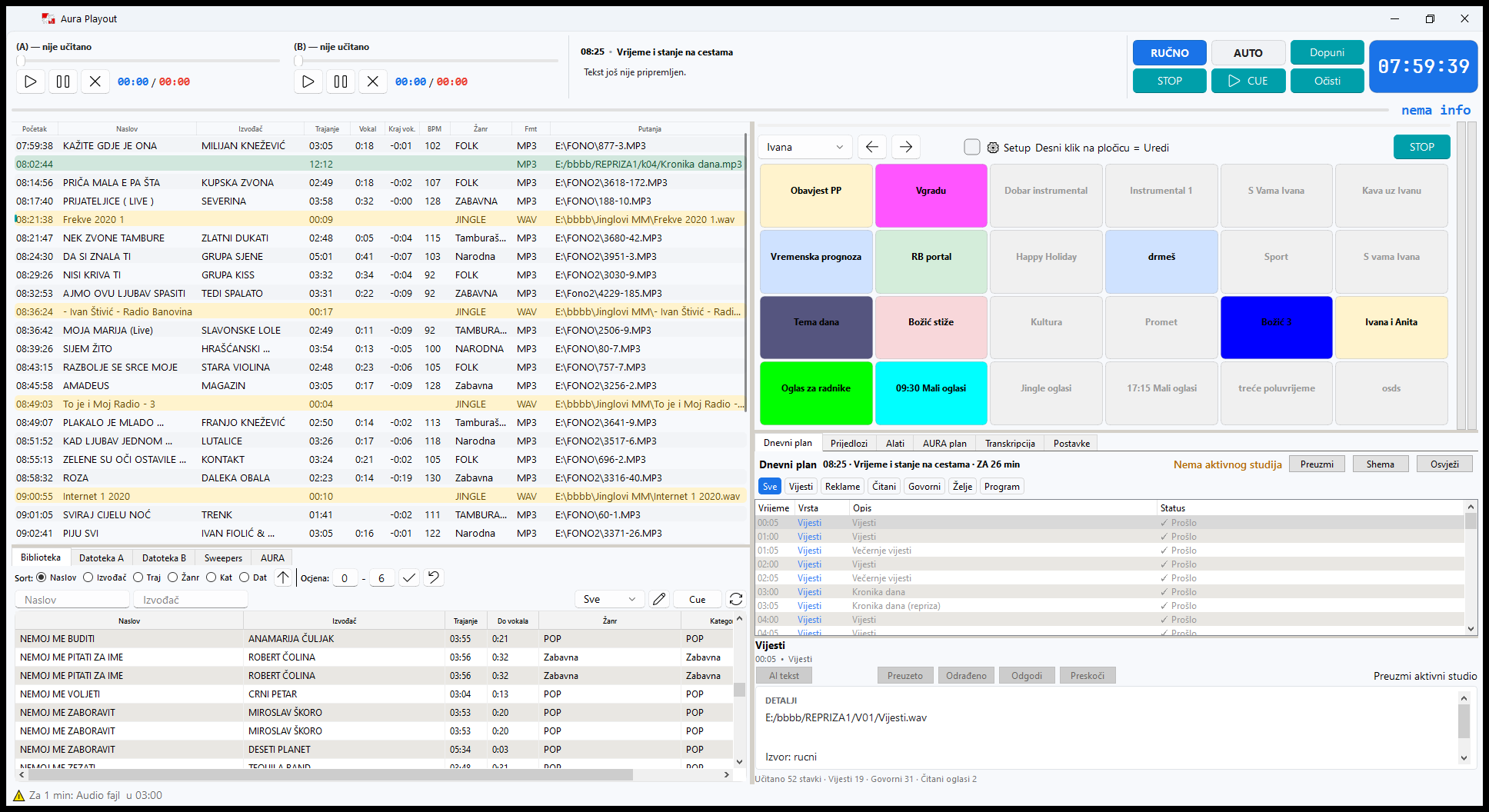
MAIN PLAYOUT / PRESENTER WORKSPACEExplore radio playout ↗
Main Playout: the broadcast queue, music library, Soundboard and daily plan in one workspace.

HOW MUCH OF YOUR PROGRAMMING WOULD YOU LIKE TO AUTOMATE?

Three ways to work. One distinctive station.

AURA adapts to your programming concept and team size. The same system can underpin a fully AI-presented station, serve as a live presenter's workspace or combine both approaches throughout the day.

01 / AI RADIO 24/7

AI presents the entire programme.

Music scheduling, spoken links, programme trails, jingles and advertising come together in an automated programme. AI prepares scripts and speech based on your sources, style and schedule, using selected voices or pre-trained voices of your presenters.

AN EXAMPLE FOR YOUR STATION

Set up the format and voice profiles for a specialist station. AURA combines music with speech throughout the day and night, while an editor maintains the sources and shapes the programming direction.

02 / A PRESENTER IN THE STUDIO

Your presenter has more time for the show.

AI prepares prompter scripts, links songs and suggests introductions. The presenter chooses what to say and speaks in their own voice, while Playout, schedules and studio controls handle repetitive steps.

AN EXAMPLE FOR YOUR STATION

During the breakfast show, the presenter talks to listeners and guests. Between links, AURA prepares the next script and keeps music and programme commitments together.

03 / PEOPLE AND AI TOGETHER

Put your people where they contribute most.

Combine live shows, recorded segments and AI presenters by time slot, programme and day. Start with a few AI links, let AURA cover the night or divide programming roughly equally between people and AI presenters.

AN EXAMPLE FOR YOUR STATION

Live mornings, an afternoon presenter supported by AI preparation and fully AI-presented programming overnight. Give weekends their own schedule to suit your team and audience.

Build the balance through scheduling and the way each time slot operates. Adjust it as your station, programming and team grow.

RADIO AUTOMATION THAT CONNECTS YOUR WORK

Your whole station works as one connected system.

The music editor prepares the format, a presenter or AI gives the station its voice, sales schedules campaigns and the studio turns it all into a broadcast. AURA connects these tasks around a shared music library, programme and records. Songs, announcements and slots no longer remain scattered across separate tools: prepared content enters the show workflow, and logged plays support checks and reporting.

01

You want all-day programming, but cannot staff every shift.

Nights, weekends and additional channels need music and speech even when there is no presenter in the studio.

HOW AURA HELPS

AI presenters and automated schedules can cover these slots, allowing you to arrange staffing around your programming needs.

02

The presenter has too many other tasks during the show.

Finding a song, writing an introduction, watching advertising breaks and preparing the next link while the programme is already on air.

HOW AURA HELPS

Playout brings together the queue, library and Daily Plan, while AURA prepares a prompter script or a finished voice link.

03

A campaign needs work from the first agreement to the final report.

The commercial, dates, slots and report need to stay aligned between sales and the studio.

HOW AURA HELPS

Clients, campaigns, schedules, media plans and proof-of-broadcast reports share a connected process, reducing repeated data entry.

04

You know what you planned. You need to see what actually happened.

Song repetition, spoken statements and changes in online listening are difficult to track through notes.

HOW AURA HELPS

History, Analyzer, Audience and Transcripts provide searchable records and views to support editorial decisions.

HOW AURA WORKS FOR YOU

One working day.
Connected tasks across the station.

Time is saved when preparation, broadcasting and record-keeping flow into one another. These practical situations show the role of each tool.

Your music format keeps working when the editor is away.

A distinctive station needs a strong selection of songs through the morning, day and night. Building every hour manually puts pressure on the team and makes it harder to expand programming.

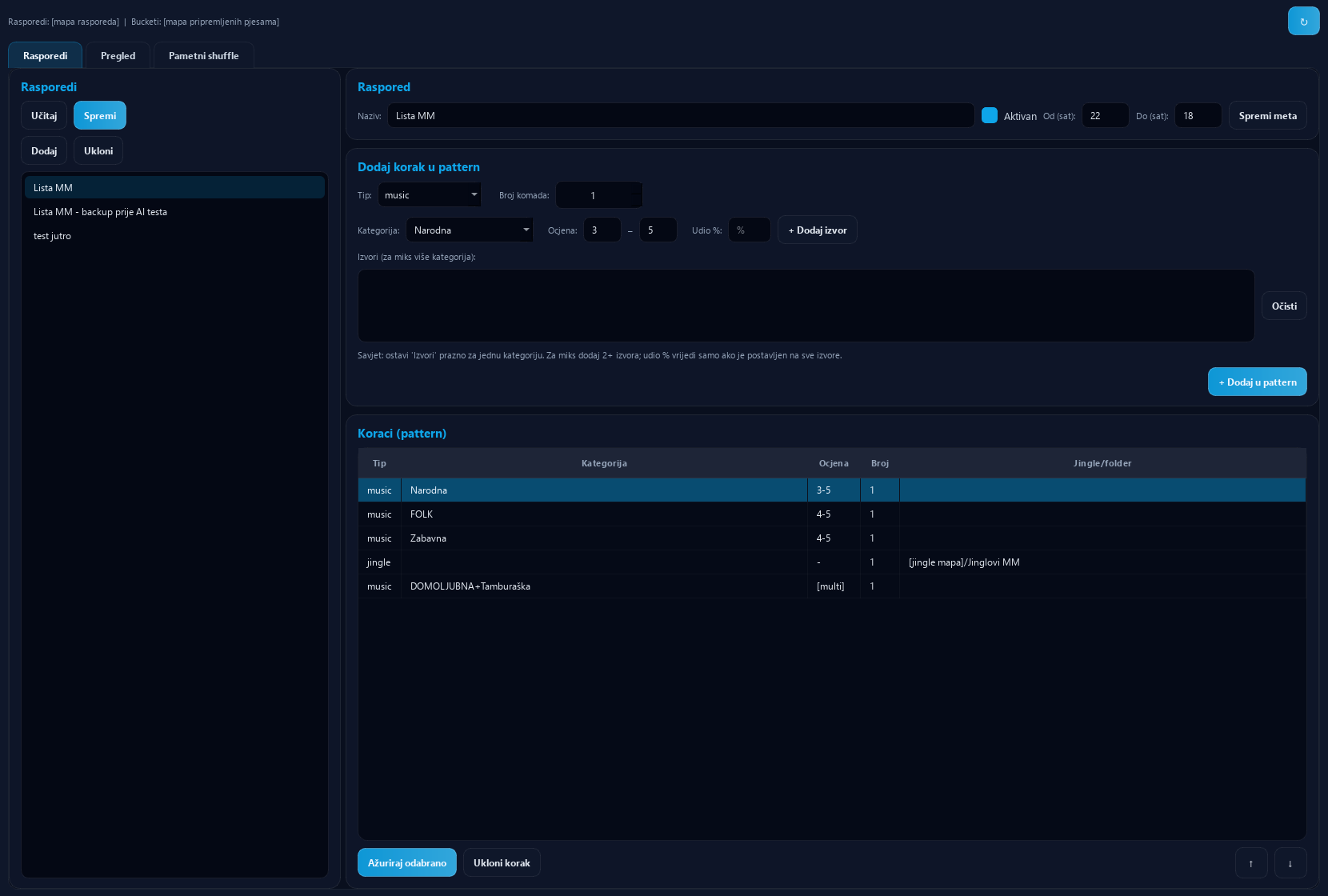
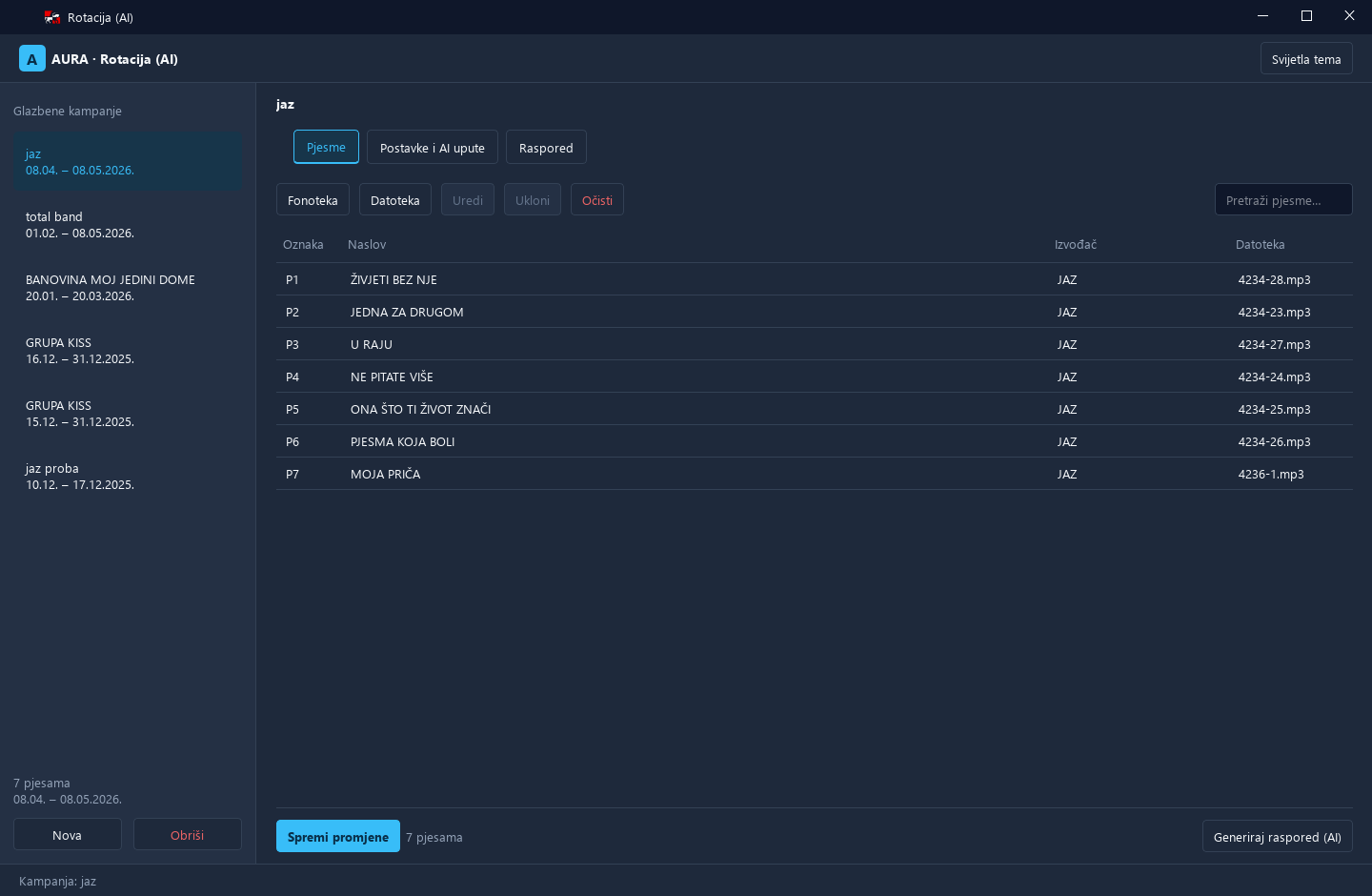
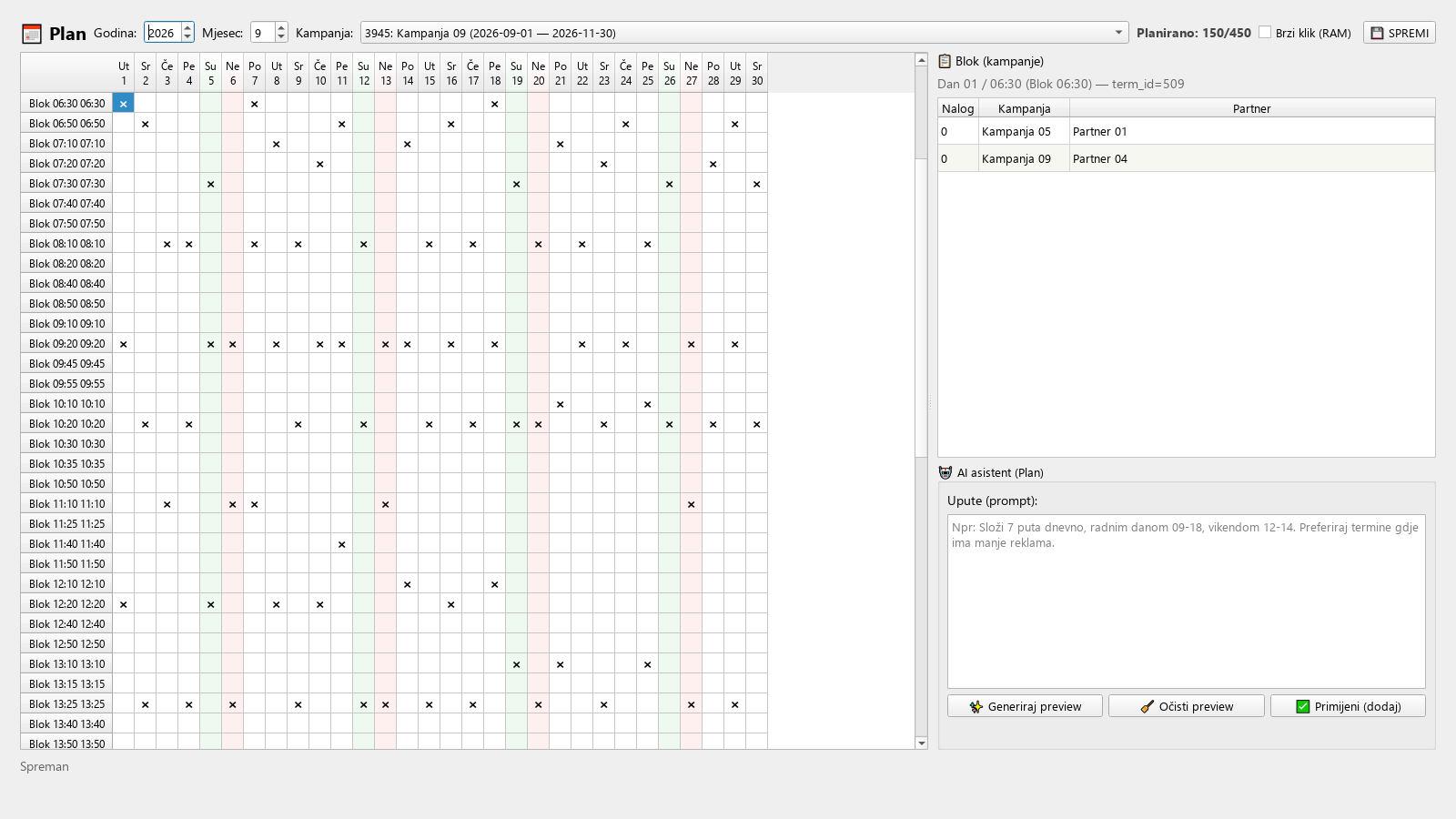
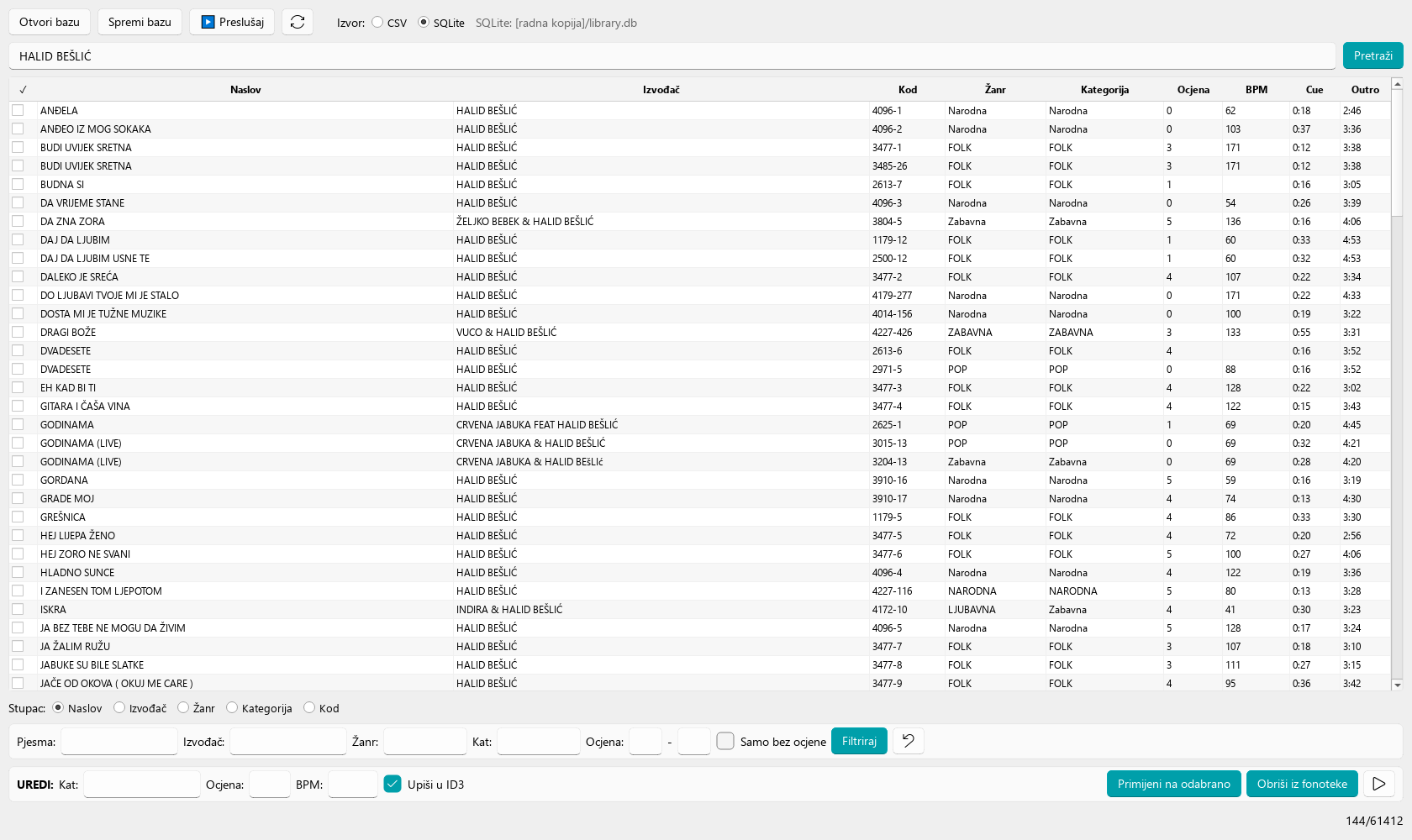
Organise songs, categories and ratings in the Music Library. Scheduler then selects music according to your rules, alternates categories, jingles and sweepers, and follows your desired tempo pattern. Playout replenishes the broadcast queue from prepared sources. A live presenter can adapt the sequence to the show, while AI-presented programming uses the same musical foundation. Rotation separately schedules targeted promotion of selected songs.

EXAMPLE IN PRACTICE

Mornings get a more energetic selection, evenings a calmer one and nights their own pattern. A new single enters a promotional campaign with defined slots. The editor manages the format through rules and reviews of the results.

Your station's recognisable voice can present without a presenter in the studio.

You want content, personality and continuity between songs, but cannot provide a full shift for every time slot.

AURA prepares a script from selected information, musical context and programme trails, converts it to speech and integrates the voice link into the programme. With connected voice services and pre-trained profiles, it can use your presenters' voices. The profile defines style, energy and expression, while the schedule determines when AI presents. For a live show, the same process can deliver just a prompter script. Choose full 24/7 AI radio, presenter assistance or a combined programme.

EXAMPLE IN PRACTICE

Your team presents the breakfast show. In the evening and overnight, AI takes over song introductions and voice links using the station's prepared voice. In another show, the presenter uses AURA's script as preparation and goes live.

Prepare shows ahead of time. Schedule regular content once.

Weekend shows, trails and features need to be ready even when the team is busy elsewhere or away from the studio.

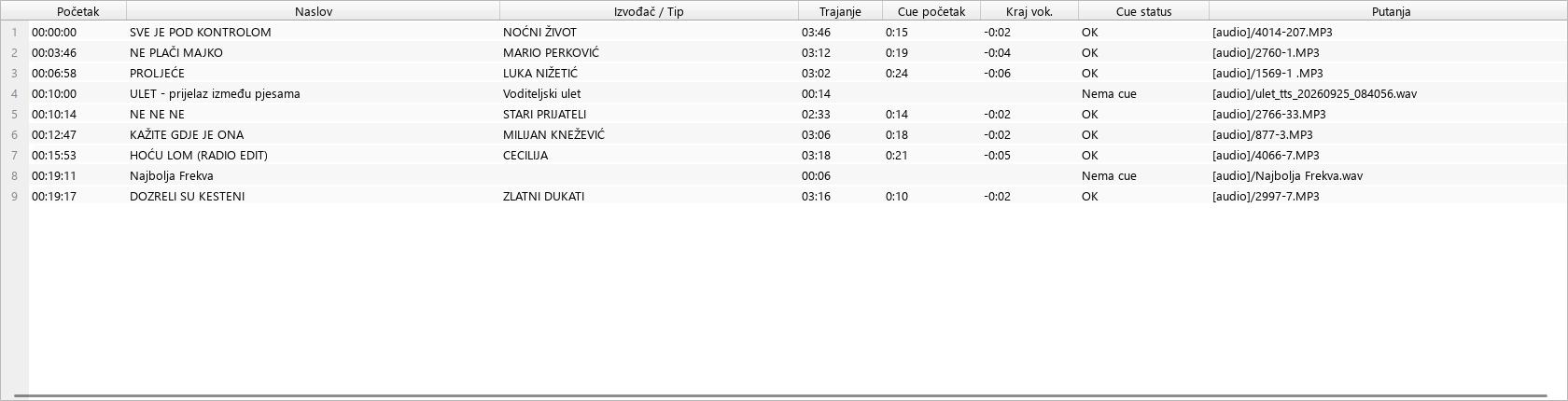
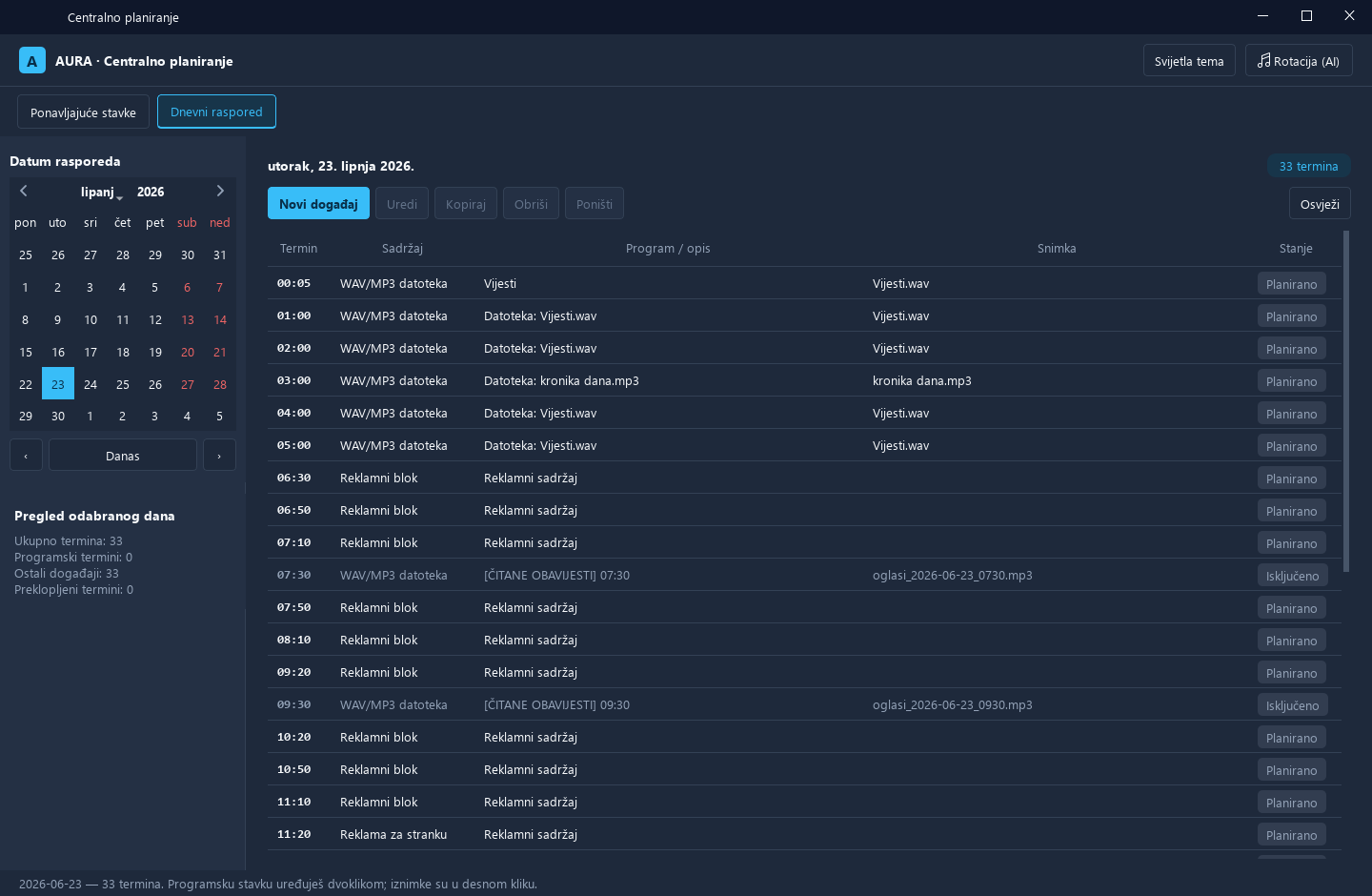
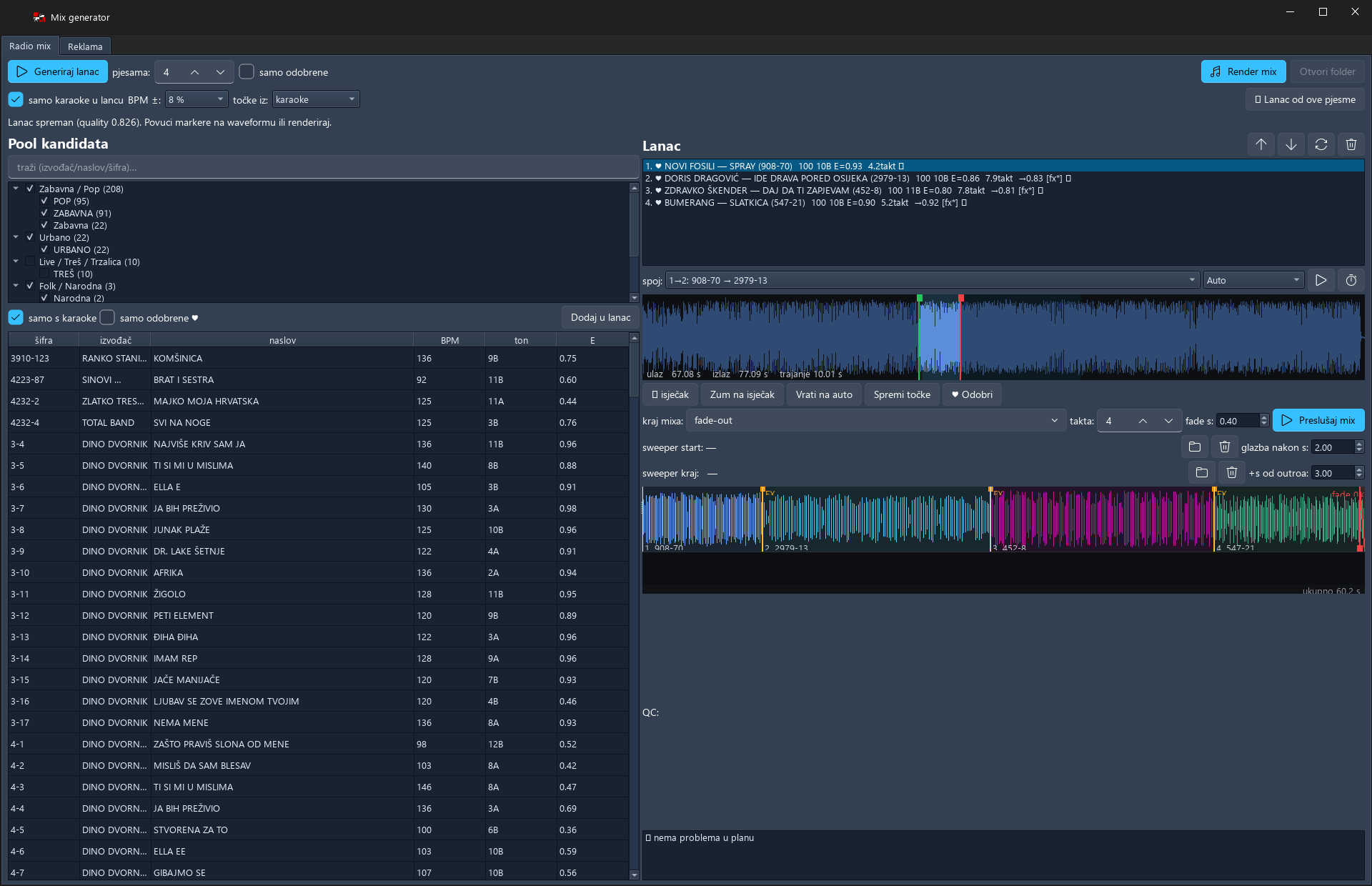
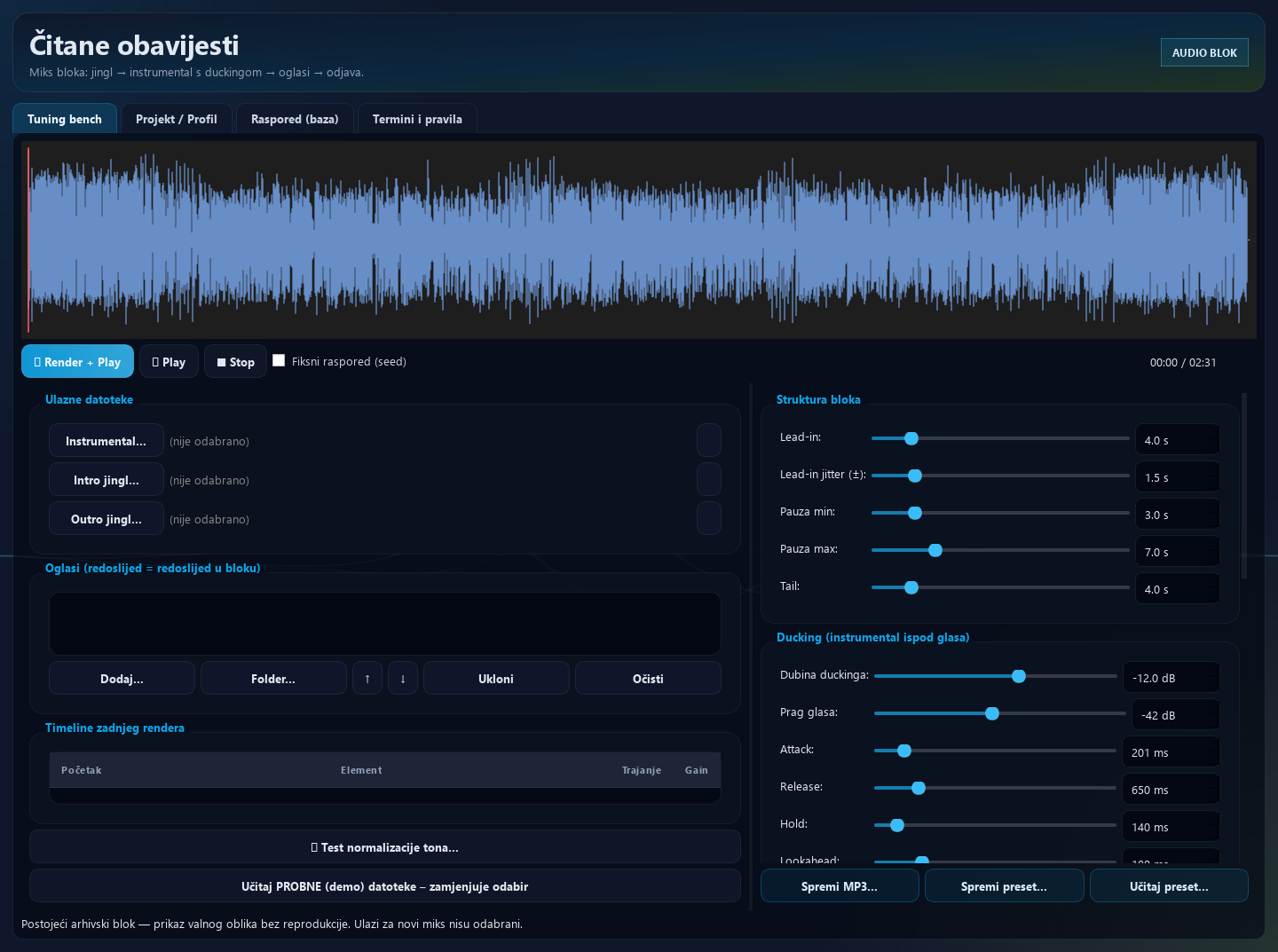
Build songs, jingles and recorded presenter links in Playlist Editor, check the duration, then save and schedule the show. Central Planning schedules announcements and features by day, validity and exceptions. Spoken Announcements combines speech with beds and jingles, while Mix Generator prepares music teasers and promotional material from library songs. Use these segments with live, recorded or AI-presented programming.

EXAMPLE IN PRACTICE

Record a weekend show on Friday and prepare three trails. A rule determines how they alternate until the show starts, with a separate exception for a special day. Preparation is complete before the weekend shift.

From a sold campaign to a media plan and proof of broadcast for the client.

More campaigns should not mean an equally large increase in manual scheduling and collecting confirmations.

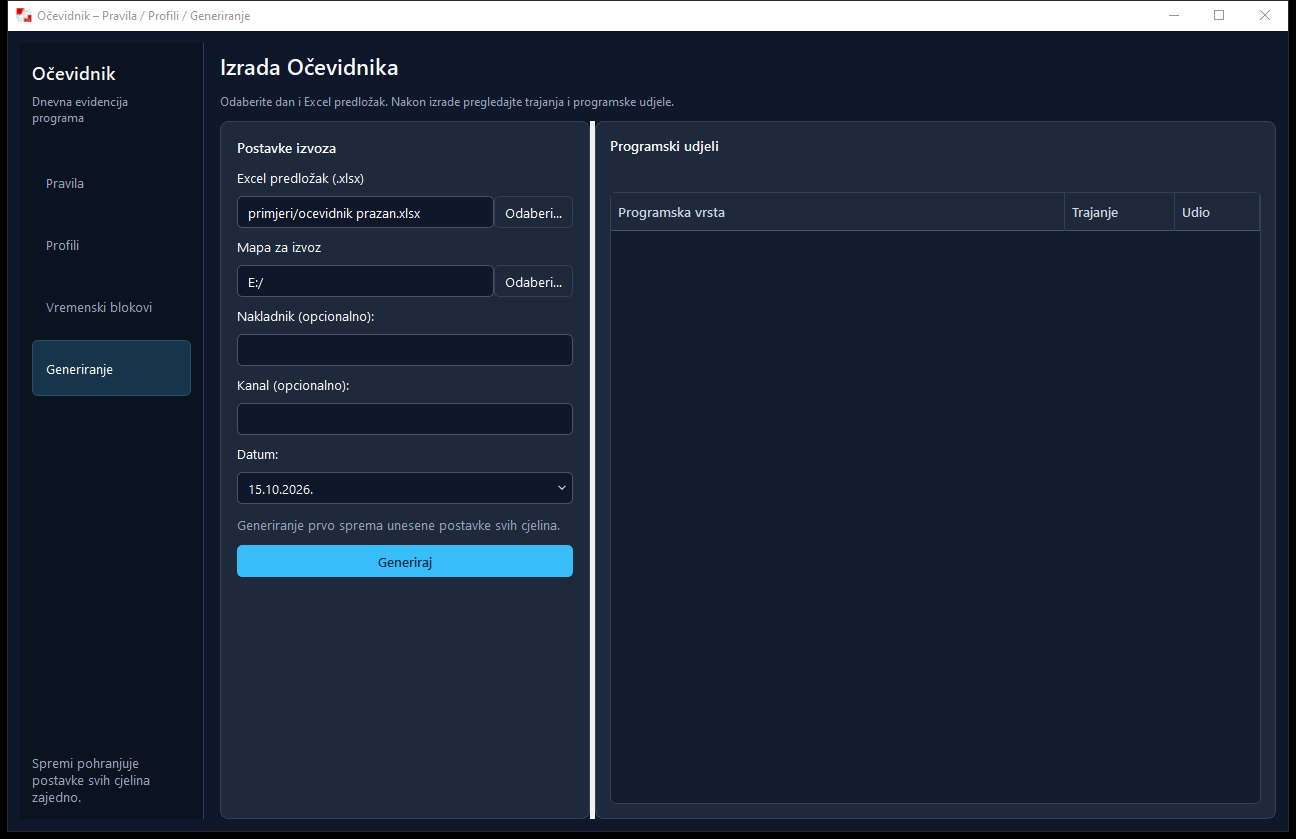
In Advertising, connect the client, campaign, commercial and date range. Edit slots yourself or start with an AI distribution proposal. The daily schedule gives the studio an overview of breaks, while the media plan shows the agreed plan to the client. After broadcast, generate proof-of-broadcast reports from logged plays. History supports additional event checks, while Programme Log prepares daily Excel programming records using configured profiles.

EXAMPLE IN PRACTICE

A client books a two-week promotion. Prepare the commercial, conditions and slots, send the media plan and follow the daily schedule. At the end, generate proof of broadcast from the logs without copying every play by hand.

Interviews, field contributions and video become part of one studio routine.

When a show includes a phone guest, a reporter and video streaming, the team has to follow technical steps alongside the content.

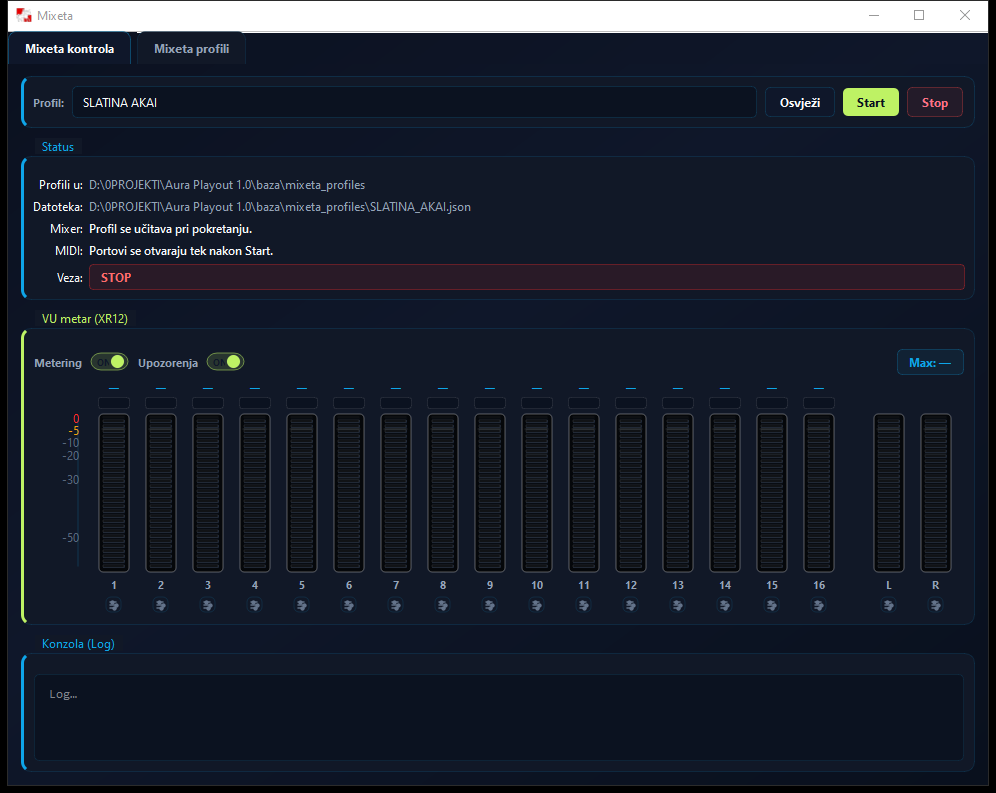
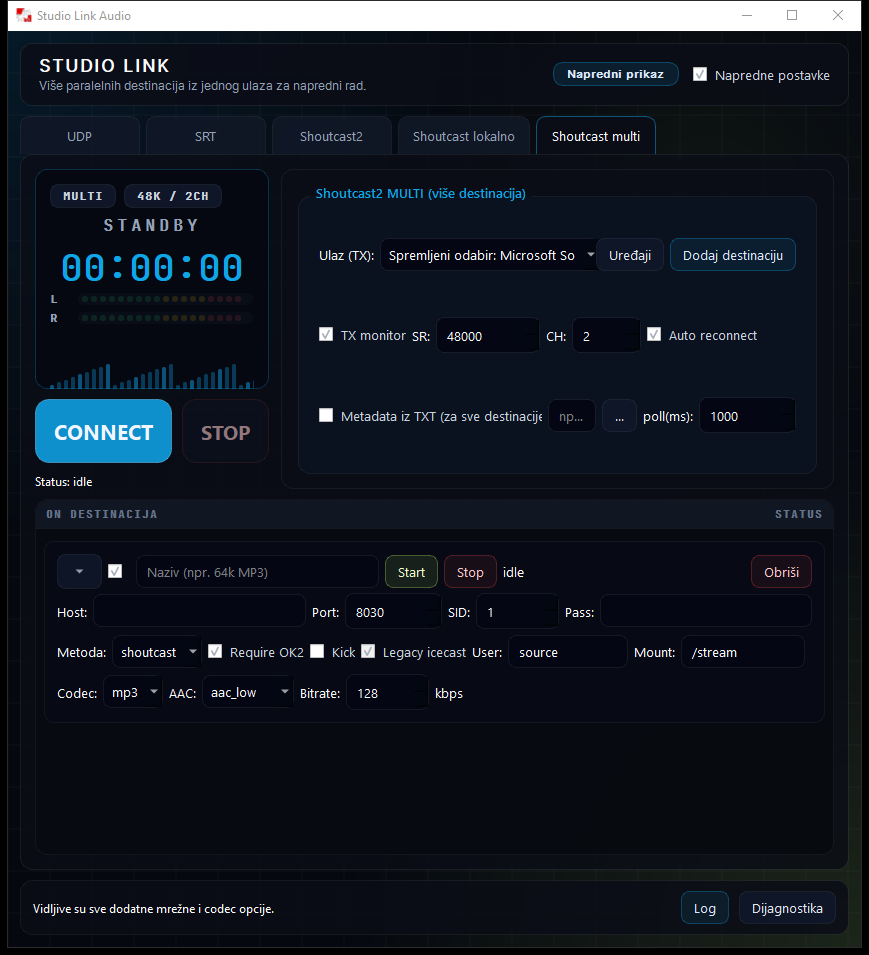
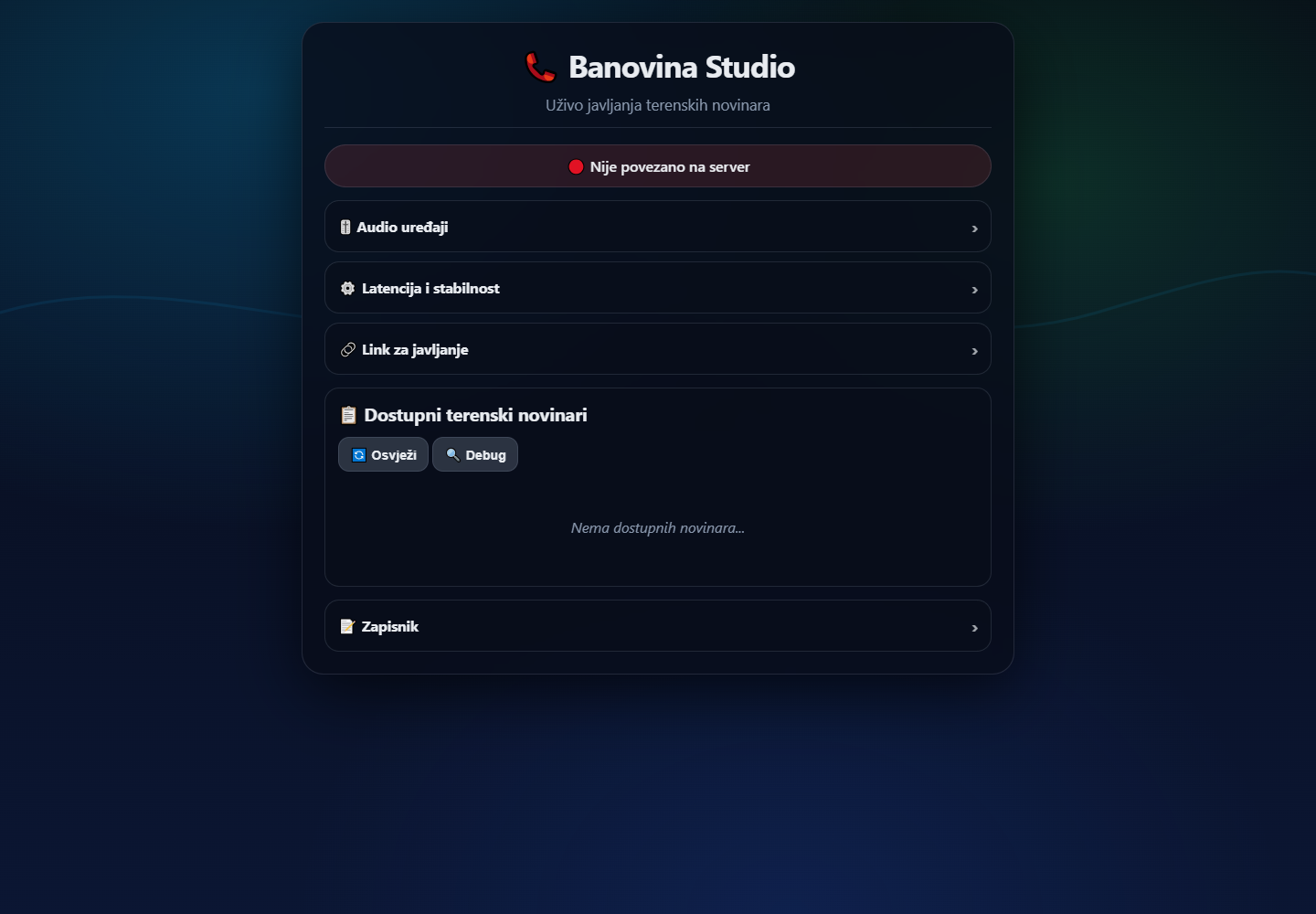
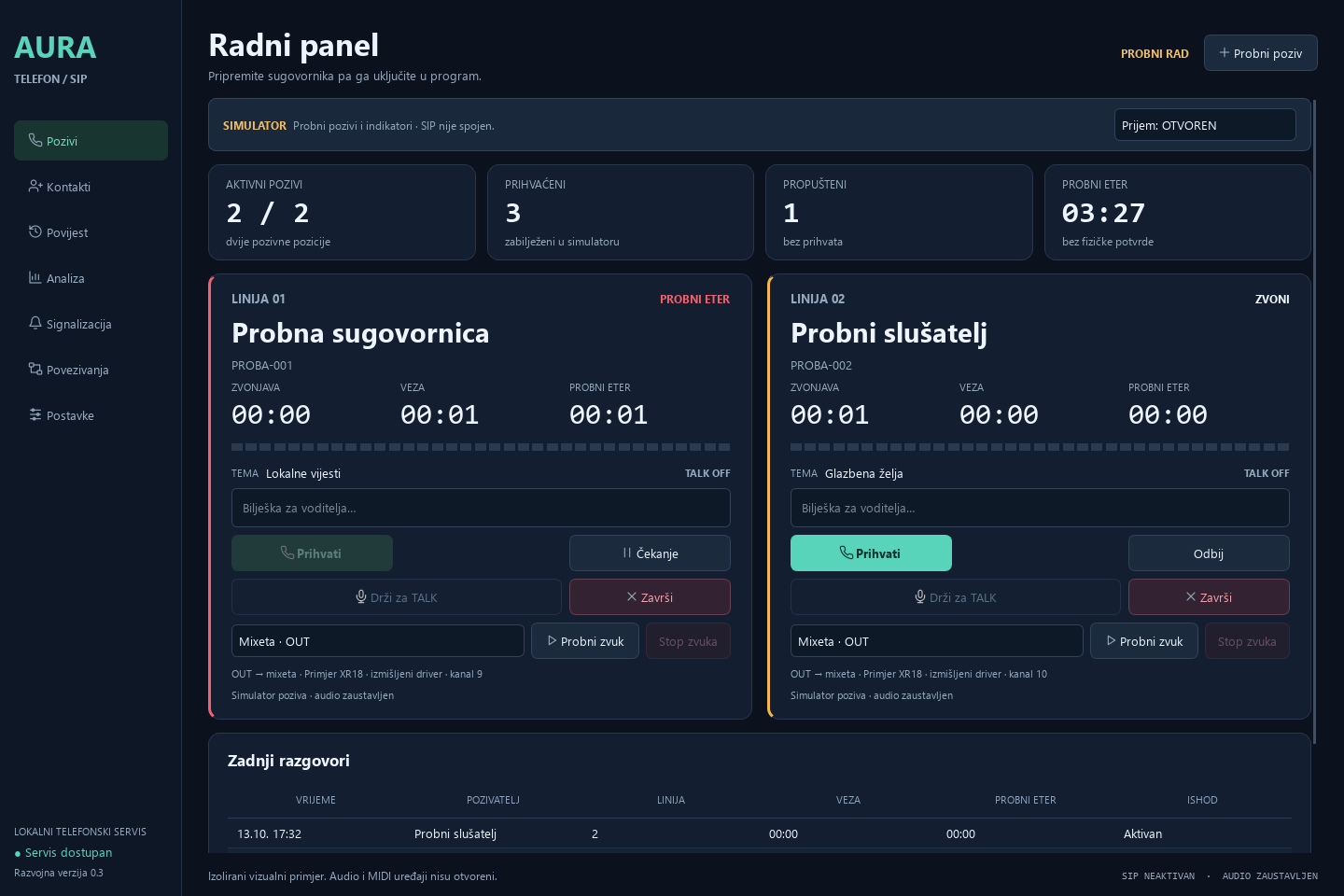
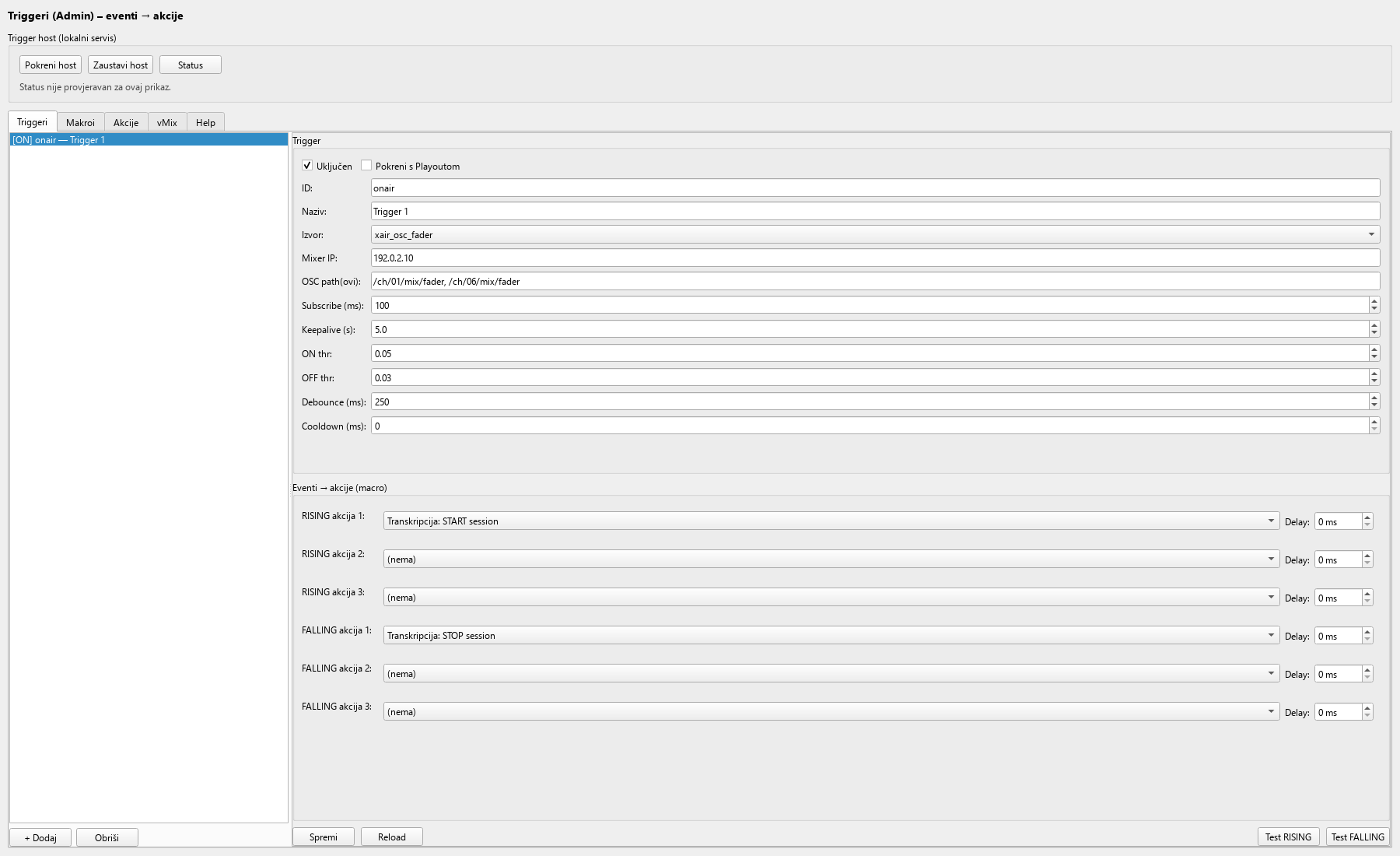
Phone / SIP provides calls, contacts and private guest preparation. Teren LIVE connects the studio to a reporter or guest through an invitation link, while Studio Link carries audio between locations and to streaming destinations. Mixer connects supported physical buttons and faders to studio actions. Triggers can start transcription, send a Playout command or switch a vMix shot in response to a selected event.

EXAMPLE IN PRACTICE

The operator prepares the guest before they go on air. When the presenter opens the microphone, a prepared rule starts transcription and selects their camera shot. The presenter can focus on the conversation.

Every show provides material for a better next decision.

After broadcast, you want to know what played, find a strong quote and spot patterns that deserve editorial attention.

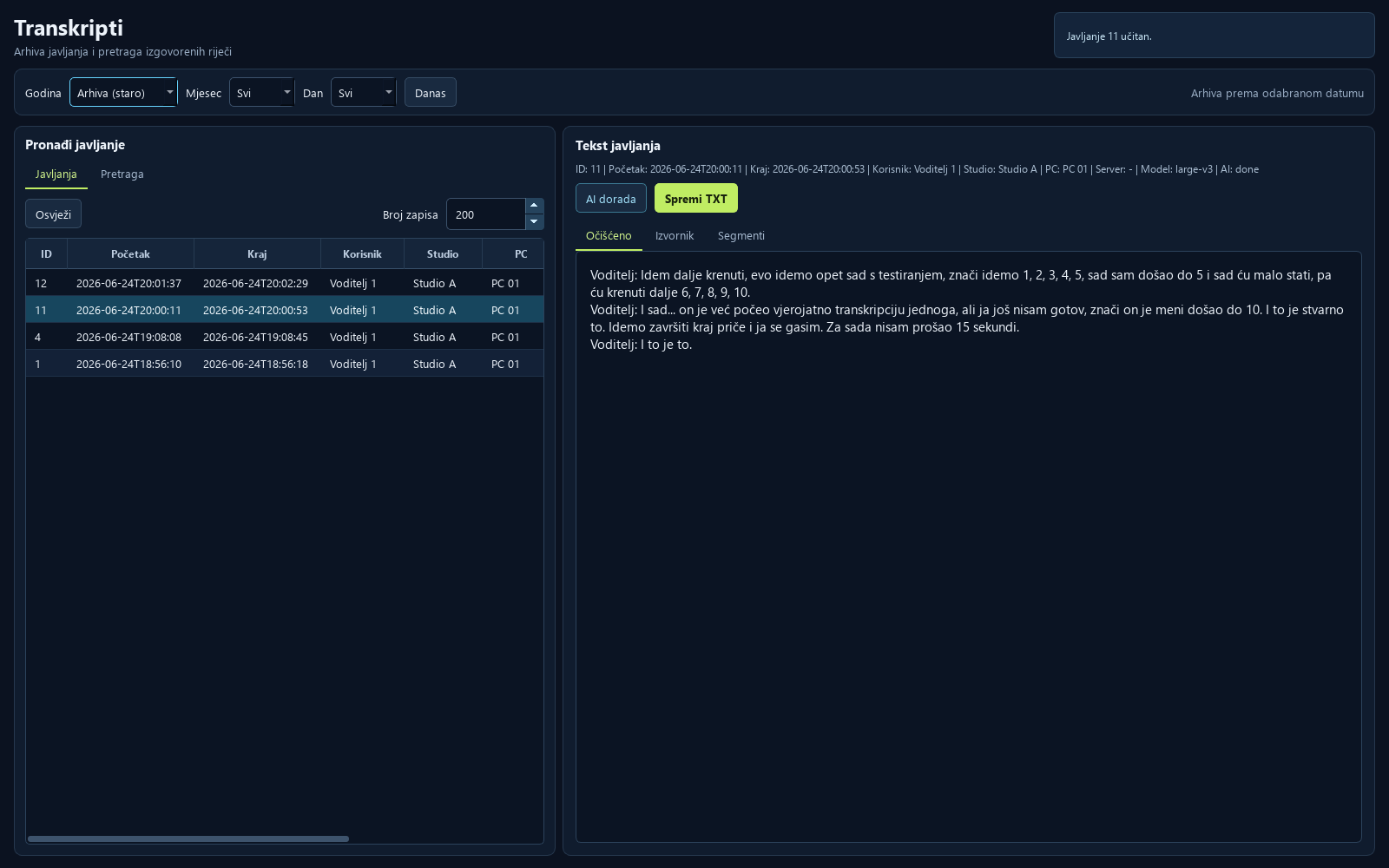
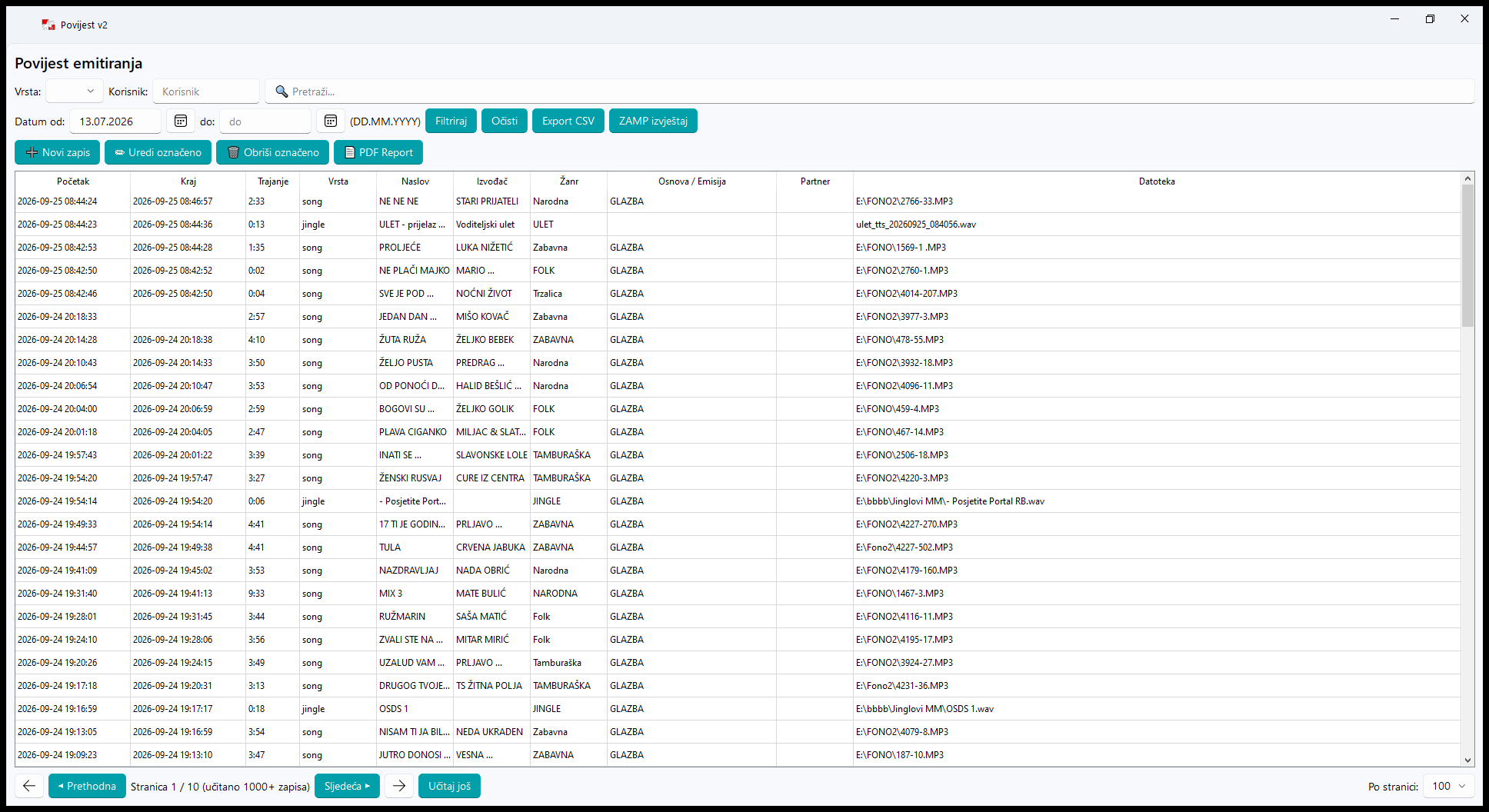
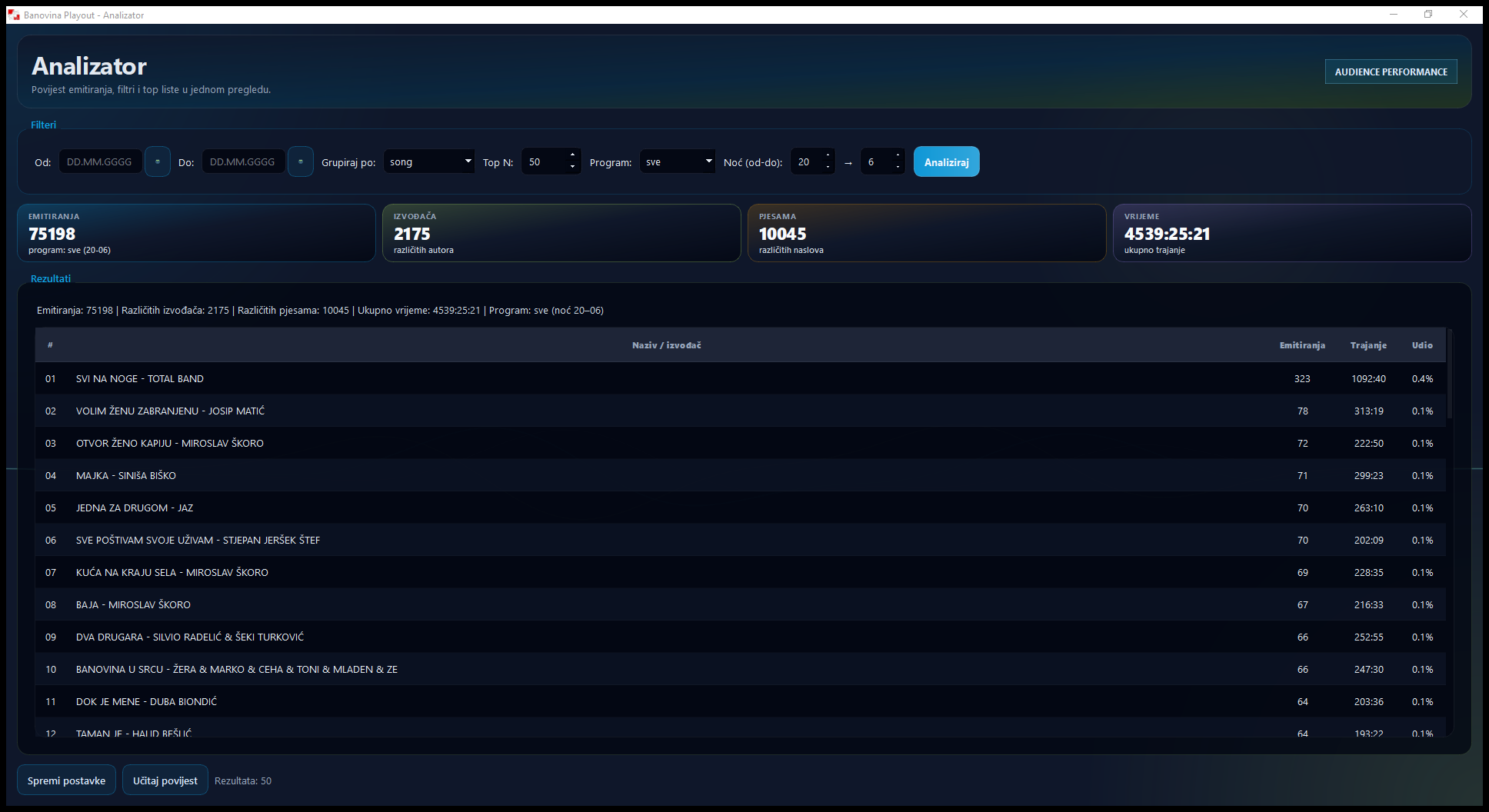
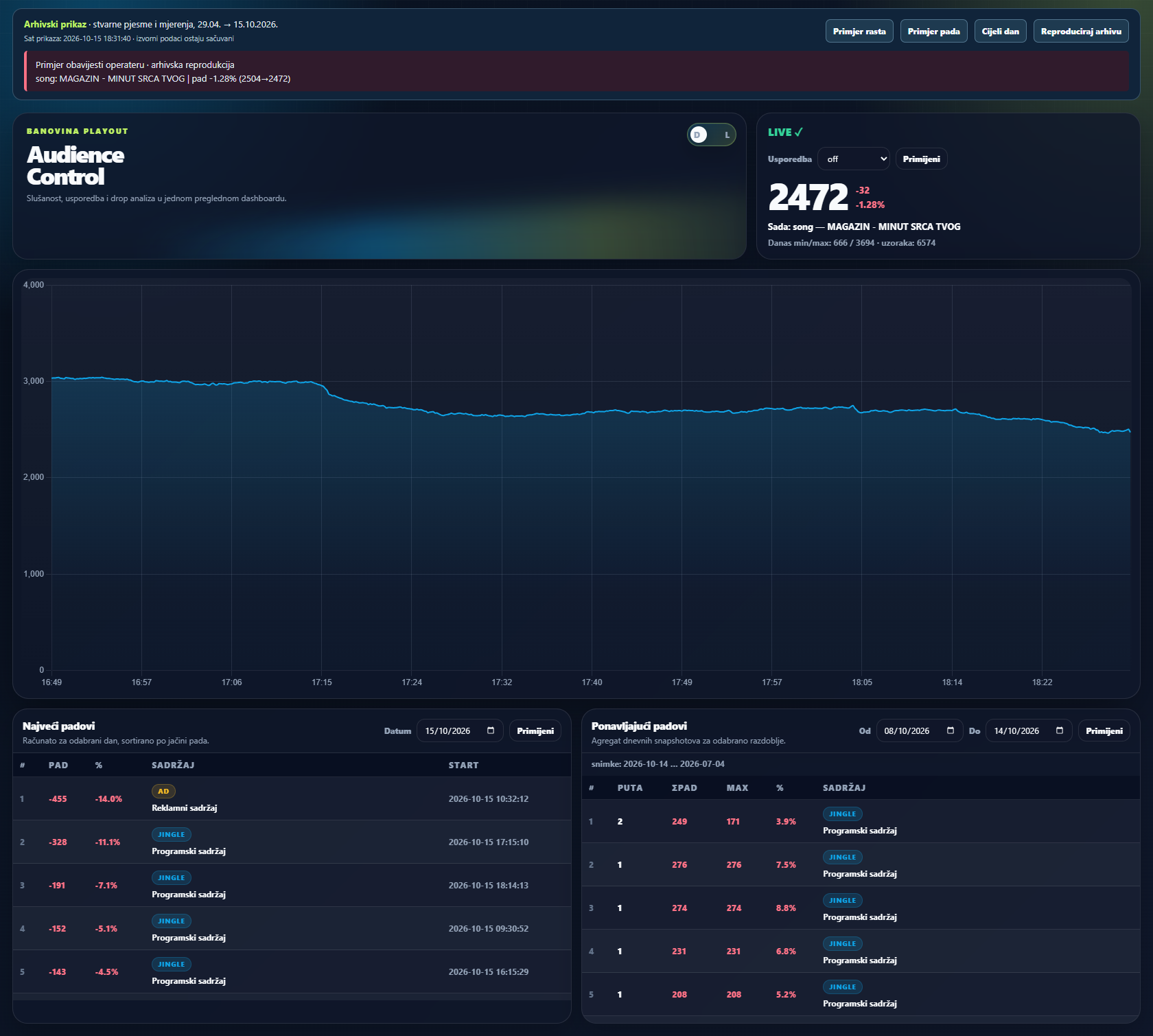
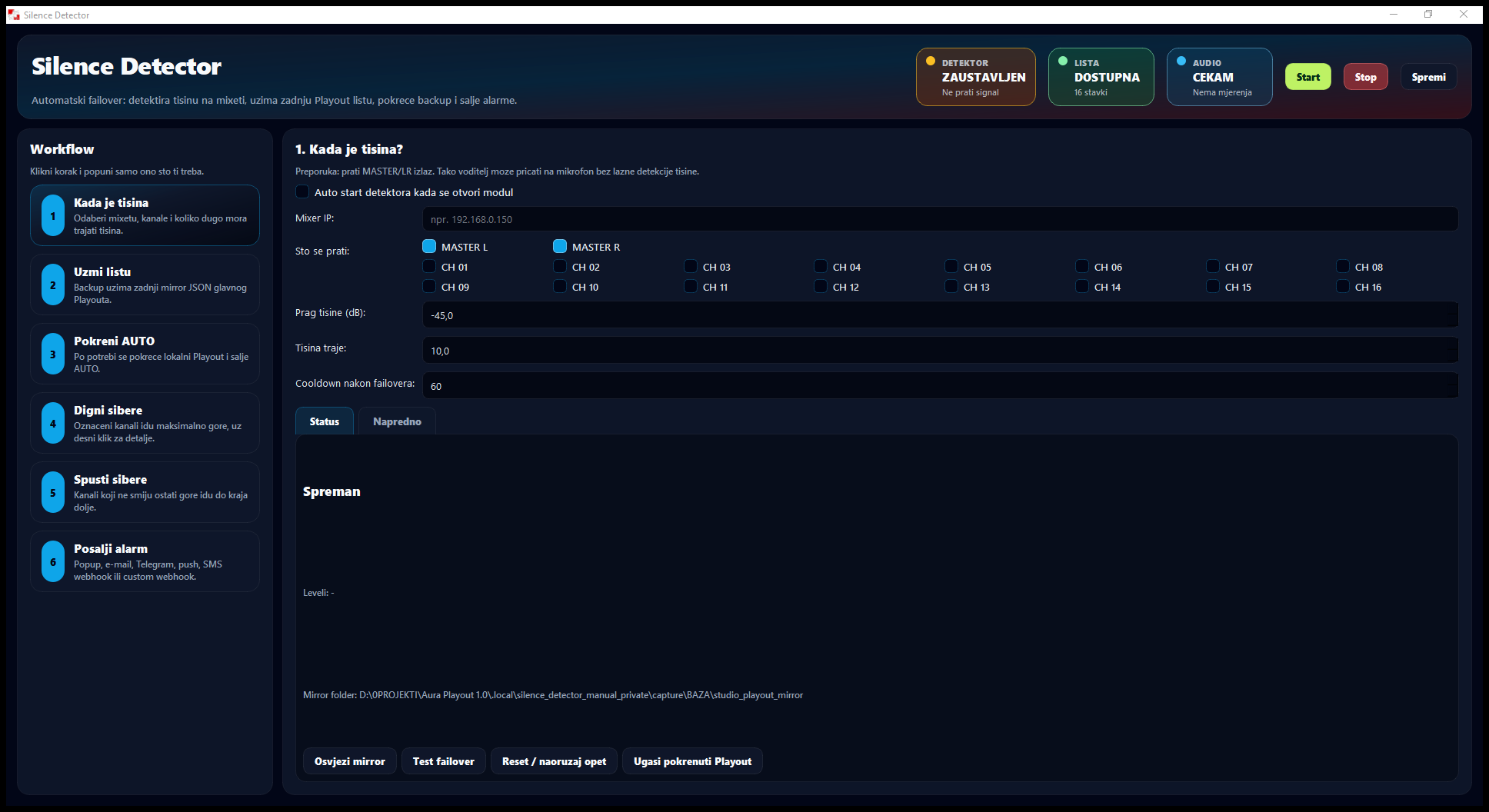
History stores logged events, and Analyzer uses them to show the representation of songs and artists. Audience connects available internet stream data with the programme timeline. Transcripts lets you search saved speech and prepare text for further editorial work. Silence Detector separately monitors silence conditions and can run a prepared fallback procedure and notify the team.

EXAMPLE IN PRACTICE

At an editorial meeting, review song repetition and changes in online listening. Find a guest's statement using a few words in the transcript, then use it as a starting point for a new article or follow-up.

AI RADIO PRESENTER AND NEWSROOM ASSISTANCE

How does AURA take on the role of radio presenter?

AI presentation connects four tasks: content preparation, presenter personality, voice generation and broadcast scheduling. Automate the whole sequence or stop at a script for your presenter to read live.

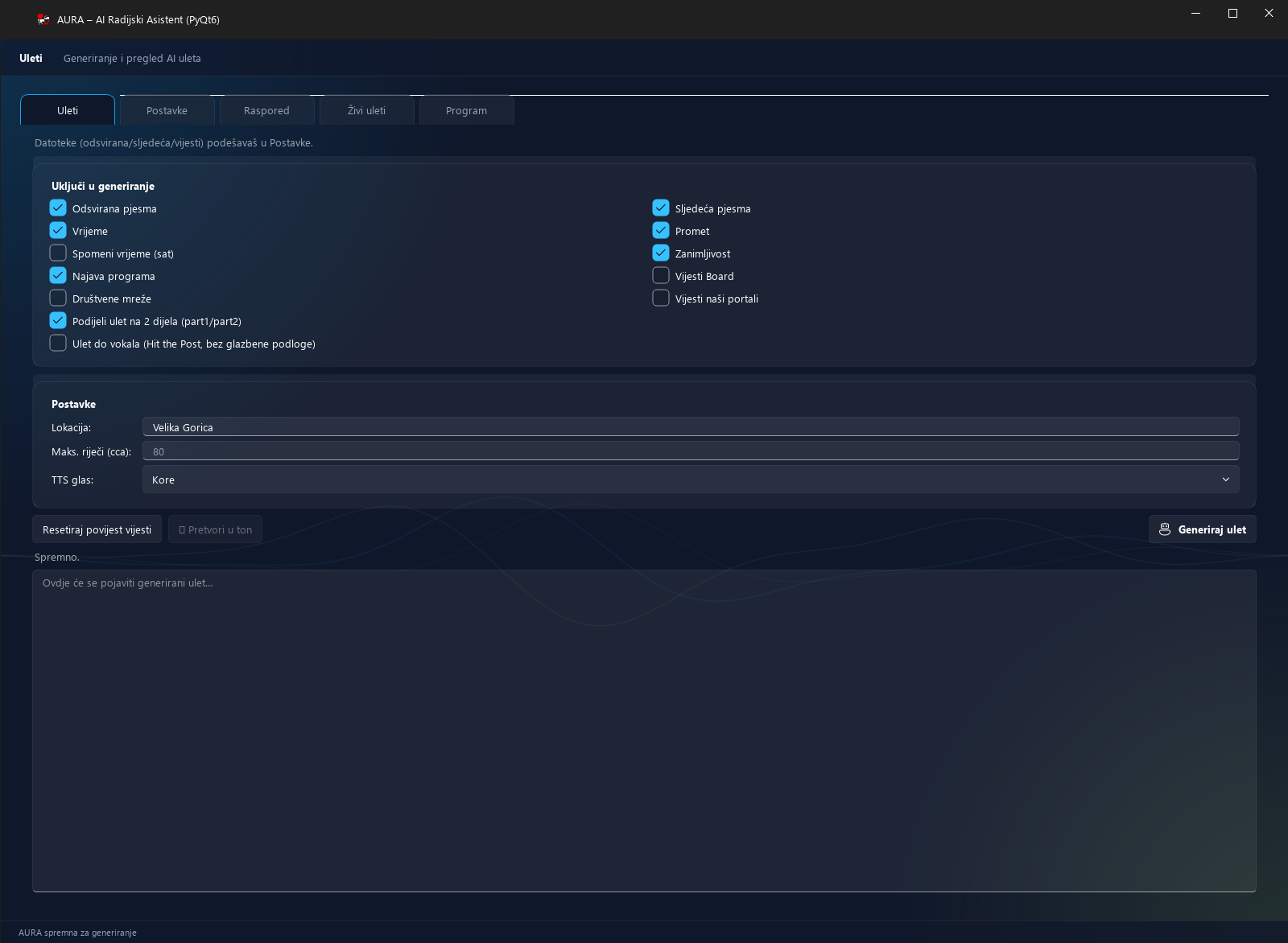
AURA: topic, length and voice selection and the text editor in the native interface using a separate settings copy.
How AURA prepares scripts and AI speech ↗

AI also connects the work behind the programme.

In Advertising it helps distribute a campaign; in Central Planning it turns a description into a proposed rule; in Rotation it creates a music media plan; and in Transcripts it refines speech transcripts. Each result arrives in the tool you need for the next step.

  1. 01

    Decide what your station says.

    Prepare information sources, topics, a programme guide and your desired link length. AURA can connect the previous and next song, selected content and a preview of what is coming up.

  2. 02

    Give every presenter a style and voice.

    Profiles define expression, energy and the character of each link. Choose a connected service's voice or a prepared, trained voice profile of your presenter. Different shows can then have their own recognisable personality.

  3. 03

    Choose finished speech or a studio script.

    For an AI-presented slot, AURA generates speech and prepares a voice link with the selected bed and transitions. For a live presenter, it sends text to the prompter to read and adapt to the show.

  4. 04

    Schedule AI, people and prepared shows.

    Weekly slots and blocks define when preparation is automated, when an AI voice is used and when the programme is live. Use that schedule to build fully AI-presented radio 24/7 or your own balance of automation and studio presenters.

You shape the station: choose sources, style, voices and schedules. AURA prepares and runs the programme according to those rules, while the team monitors quality, content freshness and the further development of shows.

CHOOSE YOUR LEVEL OF AUTOMATION

Your station can keep
its own character.

AI presenters can cover selected slots or all spoken programming, while automation selects music, schedules regular content and keeps records. This reduces the need for continuous operator and presenter coverage on every shift. Focus your team on local stories, interviews, sales and shows where human connection matters most.

Small-station owner or manager

Cover more programming with a smaller team.

An AI presenter can cover nights, weekends or the whole programme. Automation of music, announcements and records reduces daily operator work, leaving people to focus on content, listeners and station revenue.

Editor and presenter

Keep your voice and time for good stories.

Present live with AI preparation, pre-record a show or choose slots for AI presenters. The music format, sources and style remain your decision, while clear schedules and an archive make each shift easier to prepare.

Sales and commercial team

More attention to clients, less repeated data entry.

Follow the same job from client and campaign to slots, media plan and proof of broadcast. Sales can coordinate commitments with the studio more easily and prepare documents from schedules and logged broadcasts.

Engineering and studio team

Prepare the studio for consistent, clear operation.

Connect audio routes, supported controllers, telephony and streaming. Triggers shorten repetitive steps, while prepared silence monitoring and fallback procedures help the team respond when needed.

EXPLORE THE CAPABILITIES

See how every part of your station works.

From importing the first song to AI presenters, campaigns and reports: open the area that interests you. Every module has specific features, interface views and a practical example, and Playout also offers a detailed tour of its working panels.

Showing all 22 areas of work

Open a module for details ↗

Explore the connected tools and choose what suits your workflow. Playout includes another 13 built-in areas.

CHOOSING RADIO SOFTWARE

Questions worth asking
before you decide.

What does AURA AI Playout include?

AURA is a system for running a radio station: playout, a music library and music scheduling, AI radio presenters, show preparation, advertising, audio production, telephony, field and studio connections, transcripts, records and analysis. Playout brings everyday programming work together, while the 22 featured areas support preparation and management. Build fully AI-presented radio, a station with live presenters or a combination of both.

Can AURA act as a complete AI radio presenter and run radio 24/7?

Yes. AURA can underpin a fully AI-presented station 24 hours a day, seven days a week. Using your sources and rules, it prepares scripts, generates speech in the selected voice and connects links with music, trails and schedules. With pre-trained voices of your presenters, the AI programme can retain the station's familiar voices. Your team shapes the format, sources, style and schedule and monitors programme quality.

Can we use trained voices of our own presenters?

Yes. AURA can connect to prepared voices from supported speech services and trained voice profiles. Select the voice and link style for the relevant preparation mode, so different presenters or shows can have their own sound identity. Voice preparation and connection of the required service or profile are agreed during system setup.

Can we combine live presenters and AI, for example half and half?

Yes. You decide which slots and shows are live, which use recorded links and which are presented by AI. You can have live mornings and AI nights, a presenter supported by AI preparation all day or divide programming roughly equally between the two approaches. Achieve that balance through your programme schedule and each slot's operating mode, then adjust it to your team and station needs.

How does AURA help a presenter who wants to speak live?

AURA prepares a script based on the music, selected information and show style, then sends it to the prompter. The presenter reviews, adapts and reads it in their own voice. A/B players, Soundboard, the library, CUE preview and Daily Plan are also available, keeping preparation for the next link and programme commitments in the same workspace.

How does automation reduce the need for a large radio team?

AI presenters can cover speech slots that would otherwise require another shift. Scheduler selects music by rules, planning schedules regular content, and connected campaigns and reports reduce manual administration. A smaller team can maintain all-day programming and focus on local stories, guests, sales and live shows.

What is radio playout, and what is radio automation?

Radio playout manages the queue and playback of songs, jingles, speech and other audio. Radio automation adds music selection rules, schedules and recurring procedures. AURA connects these with AI presentation, show preparation, advertising and records, so you can run live shifts and automated programming from the same system.

Can I pre-record and schedule a show?

Yes. In Playlist Editor, arrange songs, jingles and recorded presenter links, preview them, check the duration, then save and schedule the show. AURA can help prepare scripts before recording. For recurring trails and features, Central Planning sets days, slots, validity and exceptions.

Does the system cover advertising, media plans and proof of broadcast?

Yes. Advertising connects clients, campaigns, audio commercials and slots by day and break. AI can propose a distribution based on your instructions. The media plan shows planned broadcasts, while proof-of-broadcast reports are generated from logged plays. Sales, the studio and the client can see the agreed plan and recorded delivery.

What does introducing AURA at our station involve?

We start with your programming: how many hours you want to present live, where AI is needed, which voices you want and which tasks take the most time. We then prepare the music library, schedules, audio inputs and outputs, and required studio and AI services. During the demonstration, we work through a typical day at your station so you can see how presenters, editors, sales and engineering will use the system.
YOUR STATION. YOUR WAY OF WORKING.

How would you build your station?

Tell us which shows you want to present live, where you want AI voices and what puts the most pressure on your team today. We will show you how to connect programming, music, advertising and the studio in AURA — using your working day as an example.